Trek Card App1.0176
Publisher Description
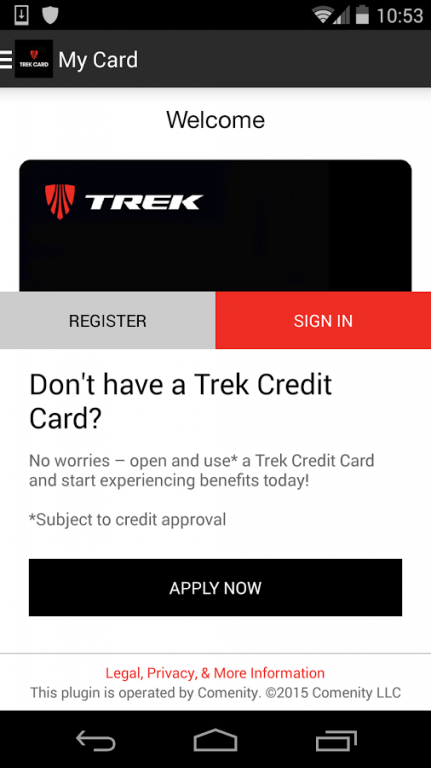
The Trek Card is mobile! Now you can leave your card at home without missing a thing--including your chance to shop sales and more.
>> Strong wi-fi or mobile data connection is required <<
Problems, hiccups or black screens? Check your connectivity and retry. You may have to close the app and relaunch it. Still having issues? Please contact us so we can help: http://www.comenity.net/comenity/ContactUs/.
~ Check out in store or online conveniently with your phone
~ View account information securely
~ Pay your bill fast
~ Get exclusive offers
Sign in using your Account Center username and password for a secure account management and shopping experience optimized for your mobile device. First-time user? Follow set-up prompts.
≈ Help Us Create the Best-Ever Card App ≈
Nobody is more important than our community. And nothing is more important than making this the best card app around. We need your suggestions for updates and fixes. (We’re working on our reviewers’ suggestions already.) We want to help so please tell us if you have problems or suggestions: http://www.comenity.net/comenity/ContactUs/.
About Trek Card App
The company that develops Trek Card App is Comenity LLC. The latest version released by its developer is 1.0176.
To install Trek Card App on your Android device, just click the green Continue To App button above to start the installation process. The app is listed on our website since 2016-10-11 and was downloaded 8 times. We have already checked if the download link is safe, however for your own protection we recommend that you scan the downloaded app with your antivirus. Your antivirus may detect the Trek Card App as malware as malware if the download link to com.soln.S1CAFB295A1BA4AC69263EF2DB22F4AEA is broken.
How to install Trek Card App on your Android device:
- Click on the Continue To App button on our website. This will redirect you to Google Play.
- Once the Trek Card App is shown in the Google Play listing of your Android device, you can start its download and installation. Tap on the Install button located below the search bar and to the right of the app icon.
- A pop-up window with the permissions required by Trek Card App will be shown. Click on Accept to continue the process.
- Trek Card App will be downloaded onto your device, displaying a progress. Once the download completes, the installation will start and you'll get a notification after the installation is finished.
Program Details
System requirements
Download information
Pricing
Version History
version 1.0176.b0176
posted on 2016-10-11
What's New,★ Faster Start - Easier, more seamless experience for first-time users,✔ Blank Screen Fix - Works better in weak wi-fi or low-connectivity environments. No more black or white screens.
